
The SYSDO Mobile App: Attendance From Anywhere

Most attendance systems are built around a terminal in the lobby. That works right up until you look at who actually walks past it, and find that your drivers, field crews, site supervisors and hybrid office staff mostly don't.
SYSDO puts the same system in a phone. Four areas behind one login: your own status, your schedule, who else is currently reachable, and a virtual terminal that turns the handset itself into a check-in point. Most teams use the first two and never discover the rest.
Your status, without opening a laptop
The opening screen answers one question: where do I stand right now. It shows your last recorded event — arrival, departure, a medical appointment, the start of a business trip, or whatever statuses your organization has defined.
Underneath sit the numbers people usually have to ask for: hours worked today, hours worked this month, and the remaining time-off balance. None of that is new data. What changes is the cost of getting to it.
A question that used to mean an email to HR now takes about as long as unlocking the phone. That difference is what turns an attendance system from something done to employees into something they use.
Your schedule, and how to change it
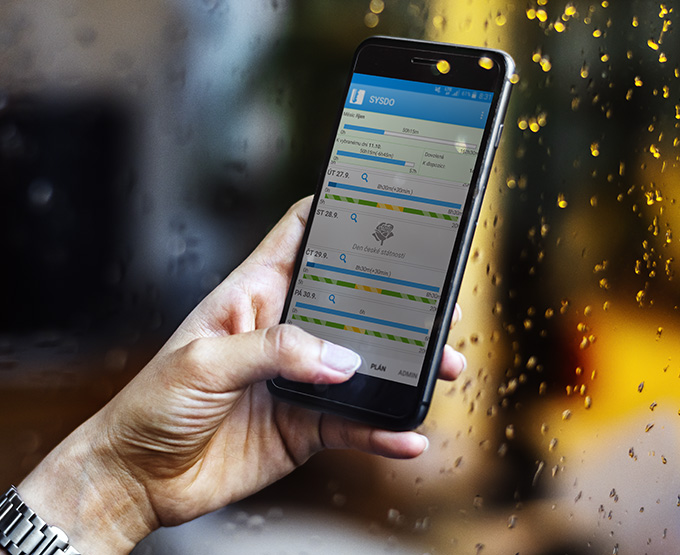
The schedule view is a calendar of shifts and days off. Each absence type carries its own icon, so a month reads at a glance rather than line by line, and the same screen totals your hours and shows the days you still have available.
Requests without the email chain
This is the part most teams miss. Requests are submitted directly from the app — time off, a medical appointment, paid or unpaid leave, a business trip, and any other absence type your organization uses.
The request lands with the person who approves it and the answer comes back the same way. No forwarded thread, no paper form, no reminder three days later asking whether anyone looked at it.
Activities inside a shift
A shift can be broken down into what actually happened during it: production, administration, service work, training. SYSDO turns those entries into a record of where the hours went, not just how many there were.
That record is what makes labor cost visible per job and per department. It also gives supervisors something concrete to plan the next period against, instead of an estimate built from memory.
Attendance data is only worth collecting when the people generating it can see it too. SYSDO gives employees the same view it gives managers, which is usually the reason adoption stops being a fight.
Who is available right now
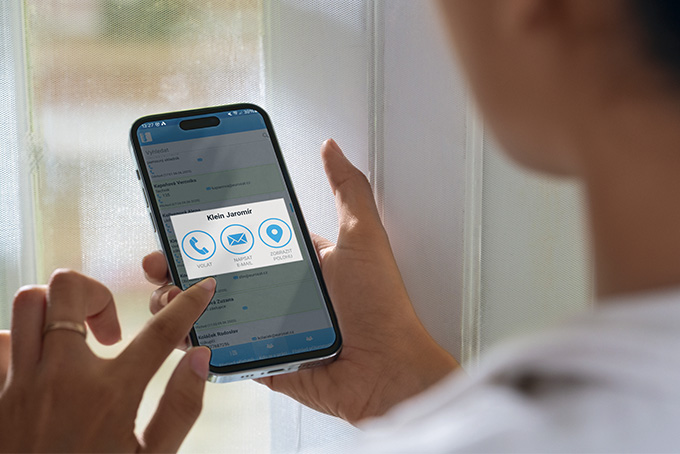
This screen lists colleagues with their current state — on site, on a business trip, or away — together with the basics: extension, email, mobile number.
For distributed teams it is the screen that gets opened most. You find out whether someone is reachable before spending twenty minutes waiting for a reply, which is the same argument behind fleet management in your pocket, applied to people instead of vehicles.
One tap to call or email
Contact details are not just displayed. Tapping a colleague starts the call or opens the message directly, with their current availability already on screen — so the decision and the action happen in the same place.
Search and department filters
A search field sits above the list. Larger organizations can split the view by department, or narrow it permanently so each person only sees the departments relevant to their work.
The virtual terminal: the phone is the clock
The virtual terminal does what a physical wall terminal does, on a handset. Sign-in is by PIN or password — no fingerprint, no facial scan, no hardware to buy or mount. Arrivals and departures are recorded from a home office, a job site, a truck cab, or anywhere with a connection.
That makes it the practical option for organizations whose people are not in one building: field service and delivery operations, installation crews, remote branches, hybrid office staff.
A location stamp on every mobile check-in
Each check-in made through the virtual terminal is recorded together with the device's location. The entry shows where it was made, not only when, which is what gives a mobile punch the same evidentiary weight as one made at a wall terminal.
Employee location monitoring is regulated at state level in the US, and notice and written-policy requirements differ by jurisdiction. Align this feature with your own employment counsel before switching it on.
Optional, and enabled person by person
The virtual terminal is not switched on for everyone by default. Each employee has to be granted access individually, and use can be restricted to approved devices only.
In practice most organizations enable it for the people who need it — drivers, technicians, remote staff — and leave everyone else on the wall terminal.
See the app running on your own team
Book a live demo and we'll set it up with your shifts and your absence types.
Where it fits alongside the rest of the platform
SYSDO covers presence and access control. If the same operation also moves vehicles, equipment or shipments, MotoMon GPS runs beside it on the same account rather than as a second system to reconcile.
Both are reached through a single sign-in at platform logins. One credential, one place to look.

