
Four Shift Types in SYSDO — and When to Use Each
-p-500.png)
Setting up shifts is the part of an attendance system people postpone. It looks like configuration work, so it gets done badly once and then nobody touches it again — and every report that follows inherits that first bad decision.
SYSDO offers four shift types. Picking the right one per team takes about ten minutes and changes what your payroll data is worth for the rest of the year.
Start with the basics
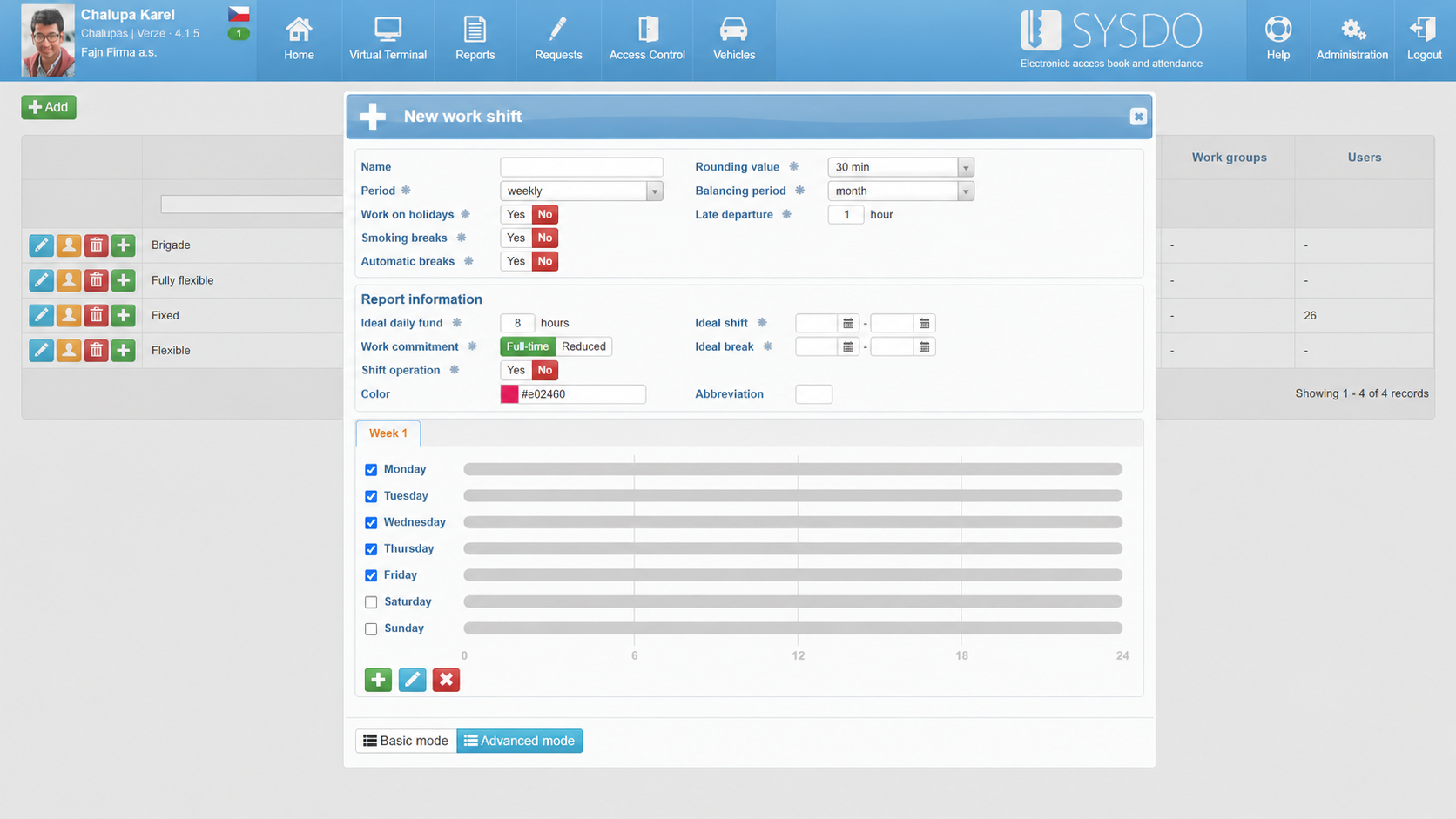
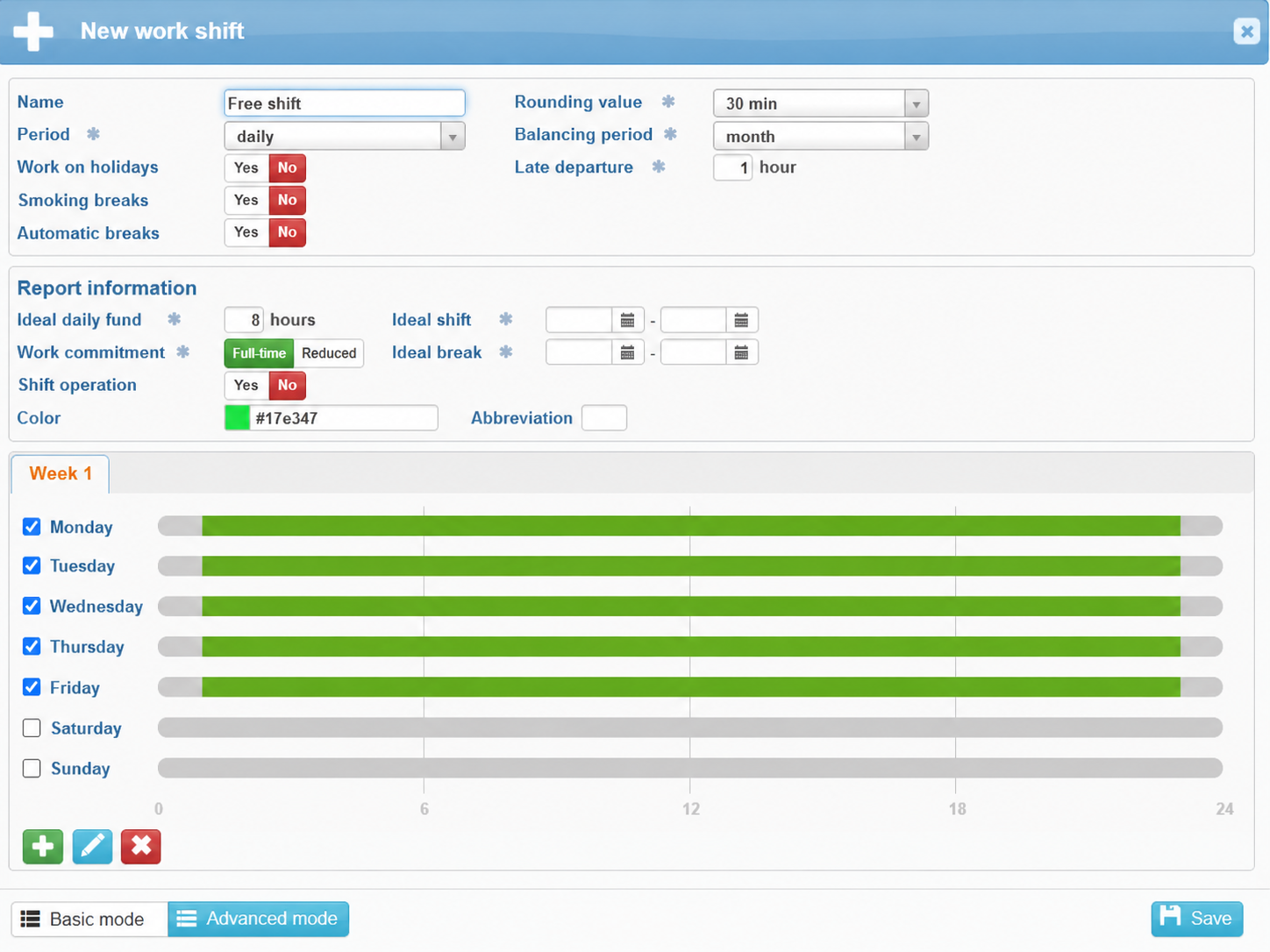
Log in and open Administration — the gear icon at the top right of the main menu. Under Work shifts, click + Add.
The setup screen asks for four things:
- Shift name — something a manager recognizes at a glance in a report.
- Period — daily, weekly or biweekly.
- Rules — holiday work, automatic breaks, smoke breaks.
- Reporting values — target daily hours and employment type.
These carry through every shift type below. Set them once and the rest is a two-minute job.
Fixed shifts — when the clock is the point
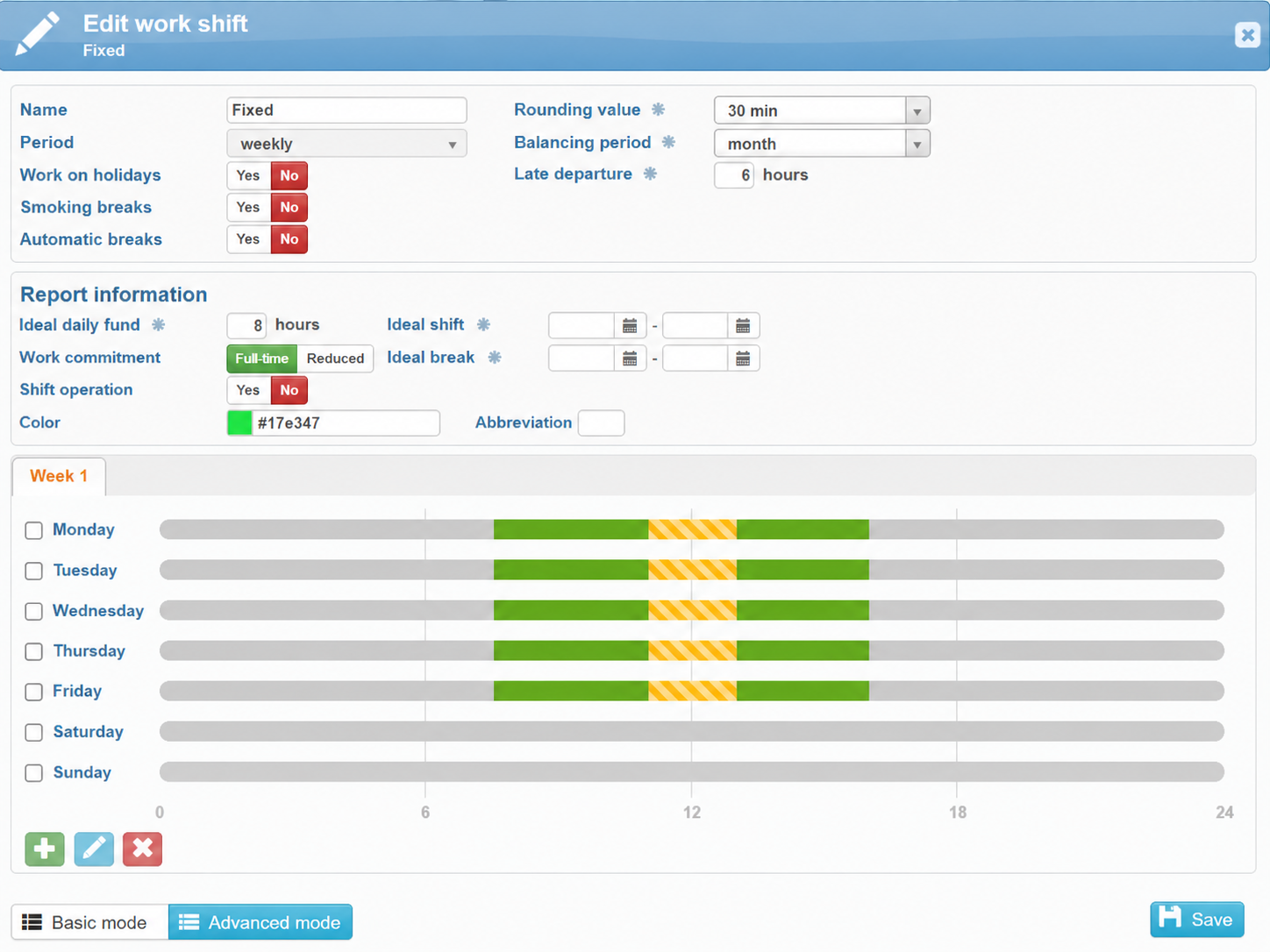
If your operation runs on a schedule, use a fixed shift. Start and end times are set in advance and identical on every day the shift applies.
Select the days of the week, then choose Work – fixed from the shift type dropdown. Fill in the start and end time — 8:00 AM to 5:00 PM, for example — and the break.
Break rules are configurable, not fixed by the system. Federal law doesn't require meal or rest breaks; a number of states do, with their own minimums and timing. Set the rule to match wherever your people actually work.
Here's the part that matters. If someone badges in at 7:30 AM, the system still counts the shift from 8:00 AM. That extra half hour lands in a separate bucket: unscheduled overtime, which an administrator can approve, convert to time off, or leave alone.
Unscheduled overtime is the line item nobody budgets for. Seeing it as its own category — before payroll runs, not after — is most of what a fixed shift is for.
Flexible shifts — freedom inside a frame
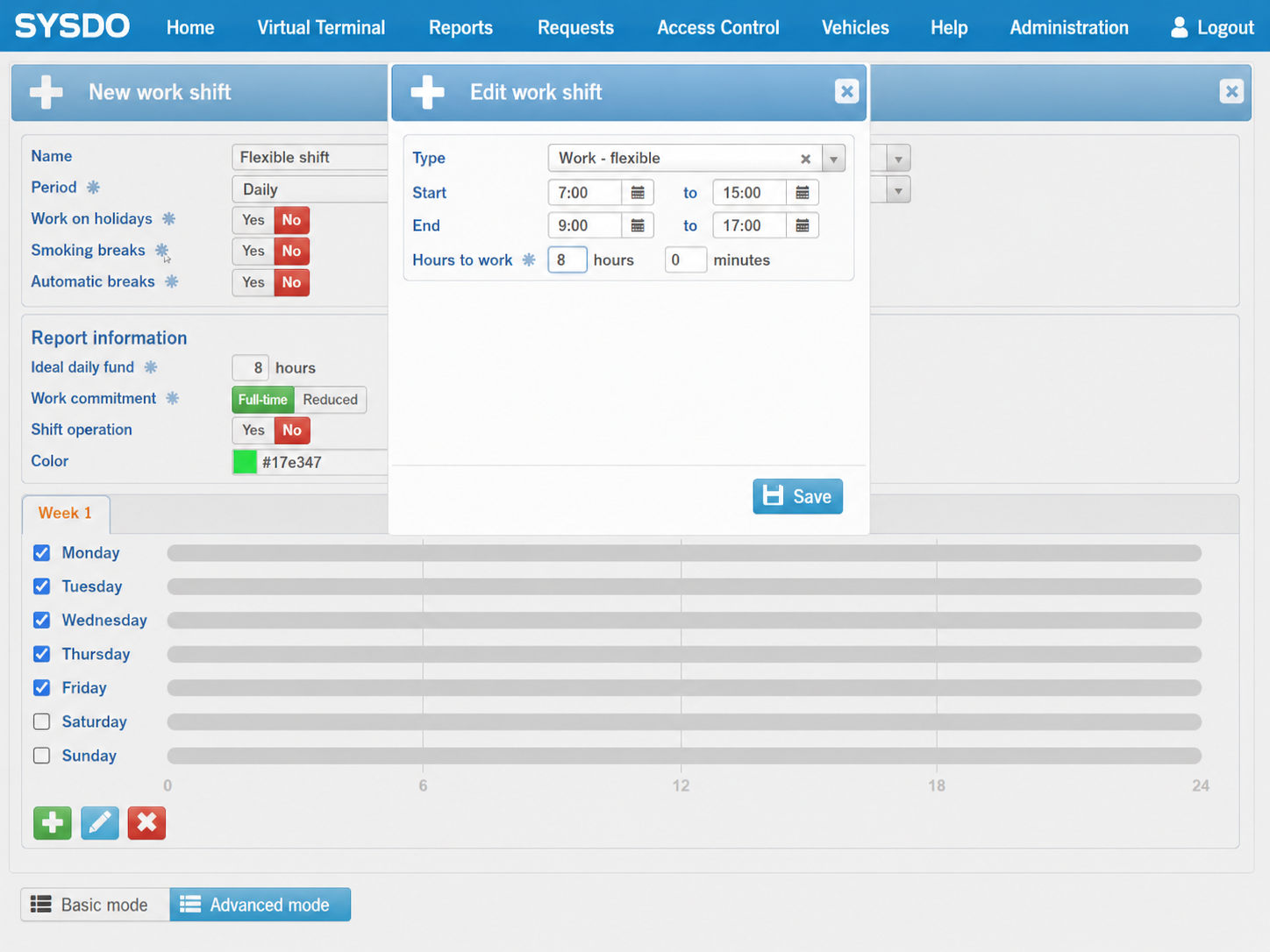
Not everyone is useful at 8:00 AM. A flexible shift lets people choose when they start and finish, while the total stays under control.
Choose Work – flexible and set three values: an arrival window (7:00 AM to 9:00 AM), a departure window (3:00 PM to 5:00 PM), and the hours required per day.
People plan their own morning. You still get a clean number at the end of the month. This is the setup most office teams should be on and most office teams aren't.
Fully flexible shifts — hours, not hours of the day
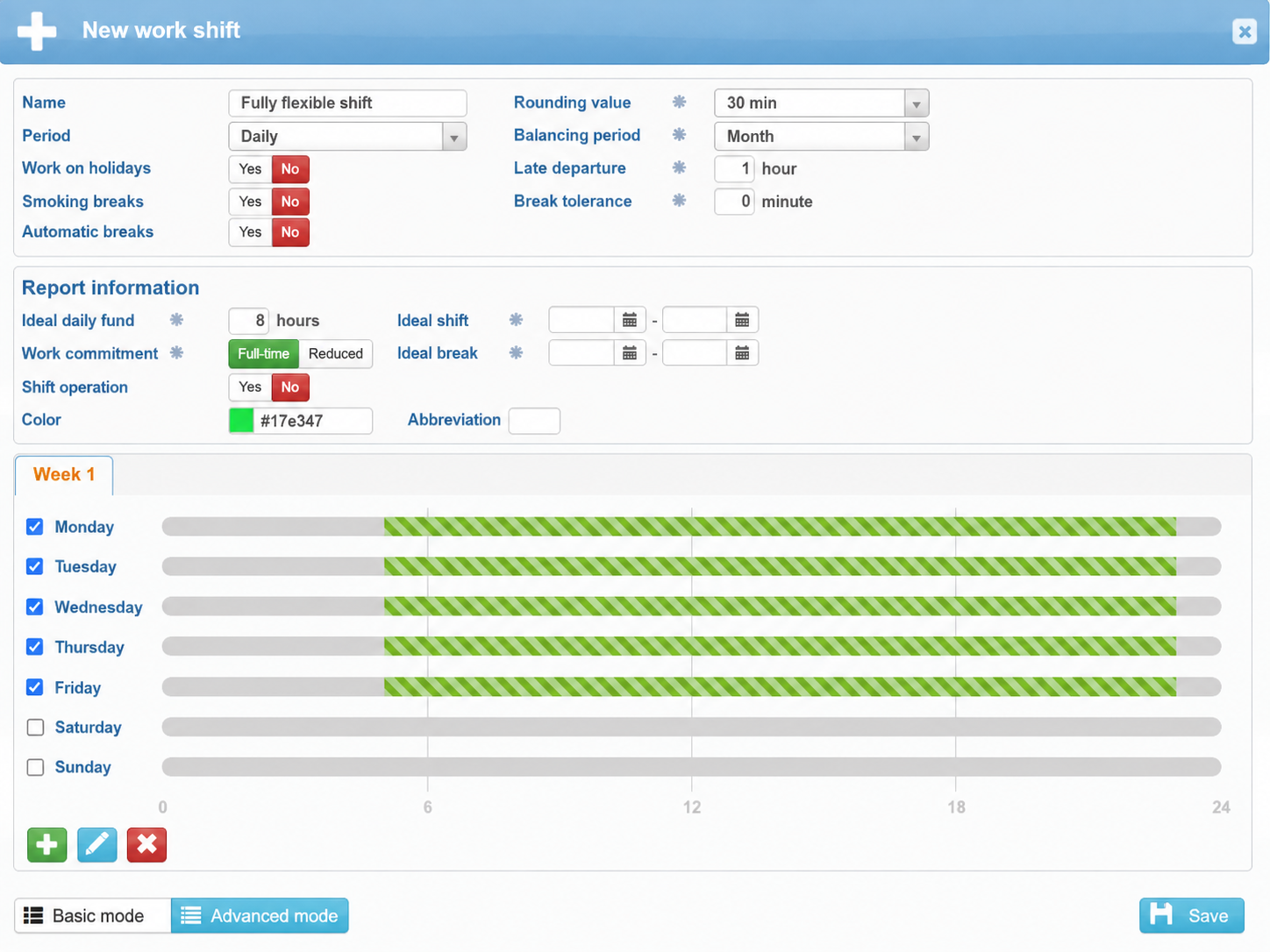
Need more room than that? A fully flexible shift drops the arrival and departure windows entirely. One wide frame, one number to hit.
Choose Work – fully flexible, set the time frame — 5:00 AM to 11:00 PM, say — and the daily hours target. Anything inside the frame counts.
Good fit for part-time staff, seasonal crews and hourly workers who set their own pace and are measured on output rather than presence.
Open shifts — for roles nobody clocks
For some roles, tracking exact minutes is theater. Field sales, account managers, anyone salaried and on the road: an open shift records the standard working day without policing arrivals and departures.
Choose Work – open and set the standard hours. The system credits the day and stops there.
One caveat worth stating plainly: whether a given role should be tracked to the minute is an employment classification question, and that call is yours, not the software's. SYSDO gives you both options — it doesn't decide for you.
Which type fits which team?
There's no single right answer, and mixing types across one company is normal rather than messy:
- Production, warehouse, logistics → fixed shifts
- Office and administration → flexible shifts
- Part-time, seasonal and hourly staff → fully flexible shifts
- Managers and field sales → open shifts
For field technicians the picture changes again: they're rarely at a terminal, so attendance has to come from the phone. If you're already dispatching them through RoutePlan, clock-ins from the job site slot into the same daily record.
The same logic applies to anyone whose presence needs to be tied to a specific person rather than a badge that got passed around — the reasoning behind driver identification is exactly the same problem in a vehicle.
What's next
The next article covers advanced scheduling: rotating shift patterns set weeks ahead, and what to do about people whose arrival time has become a running joke.

